
Kling Motion Control online: Kling 2.6 and 3.0
Kling Motion Control is Kuaishou's model for motion transfer: it takes one character picture and one motion video and makes the character perform the video. Here you can run Kling 2.6 (Standard) or Kling 3.0 (Pro) in the browser, pay per second and see the price before you start. This site is independent and not affiliated with Kling or Kuaishou.
Kling 2.6 from 65 and Kling 3.0 from 105 credits per second · 195 free credits once
1 · Character picture
2 · Motion video
Best results: the picture and the video show the same framing (full body with full body), and the performer stays in frame.
Follow
The character turns and faces the way the performer does. Clips up to 30 s.
Quality
Resolution
65 credits per second, from 195 credits (3 s minimum)
Your clip plays here. Add a character and a motion video, then make it move.
1 · Your still
2 · Camera path (up to 3 moves, in order)
- 1Push in
1 of 3 camera commands used
Speed
Length and resolution
261 credits, refunded if a shot fails
Your shot plays here. Upload a still, build a path and roll.
How to make it: Kling Motion Control
Three steps, about a minute of setup. The render takes a few minutes, and you can leave the page while it runs.
- 1
Upload the character
One picture of the character, whole body in view: a drawing, a 3D render, a toy or a photo of yourself. It is checked for public figures and minors before the job runs.
- 2
Upload the motion video
3 to 30 seconds of one performer, whole body, steady camera. The finished clip has the same length.
- 3
Pick Kling 2.6 or 3.0 and run
Choose Standard (Kling 2.6) or Pro (Kling 3.0), 720p or 1080p, and whether the character follows the video or keeps the picture's pose. Tick the consent box and press Make it move.
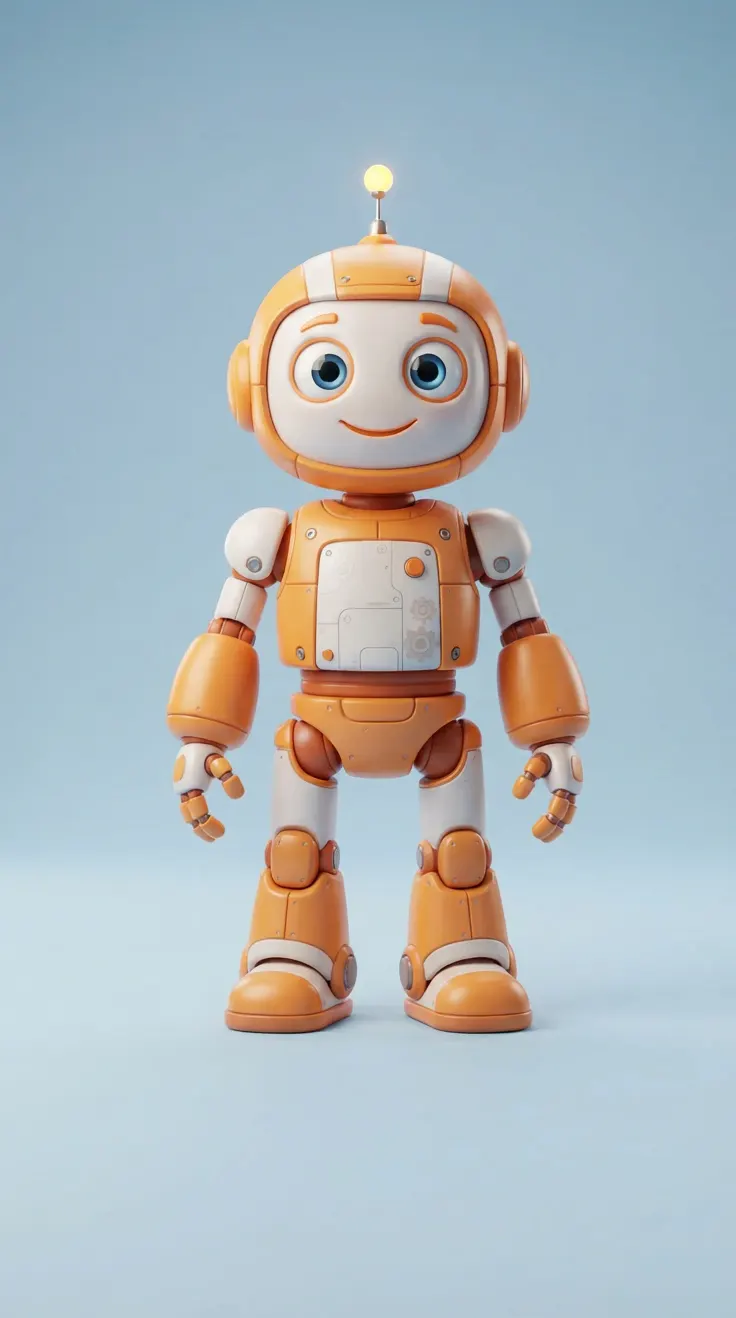
Character
Motion video
Result · Pro
Kling 2.6 versus Kling 3.0 Motion Control
Both versions read the body motion of the performer frame by frame and apply it to the character in your picture, keeping its design, colours and proportions. Neither invents choreography: what the performer does is what your character does.
Kling 3.0 is the newer model. In our test on the same robot mascot and the same dance, it kept the hands and the final turn cleaner and the face steadier; Kling 2.6 followed every beat too, with softer detail on fast moves.
Pick Standard for dance and body motion at the best price, and Pro when hands, faces or close framing matter. Both run at 720p or 1080p.
Kling 2.6 or 3.0
Both versions take the same picture and motion video and keep the same limits; they differ in detail and price per second.
| Item | Standard (Kling 2.6) | Pro (Kling 3.0) |
|---|---|---|
| Best for | Dance and full-body motion at the lowest price | Hands, faces and close framing that need clean detail |
| Detail | Follows every beat, with softer detail on fast moves | Cleaner hands, steadier faces and sharper turns |
| 720p | 65 credits per second | 105 credits per second |
| 1080p | 109 credits per second | 135 credits per second |
| Length | 3 to 30 s, as long as the video | 3 to 30 s, as long as the video |
What it costs
A Pro clip in 1080p, rendered 2 times to pick the best take, charged with the same table the studio uses:
| Take | Credits |
|---|---|
| Clip 1: Pro 1080p, 5 s | 675 |
| Clip 2: Pro 1080p, 5 s | 675 |
| Total | 1350 |
Tips for a clean result
What gets the cleanest result from Kling Motion Control.
- Match the framing. A full-body picture with a full-body video works best; a close-up picture with a full-body dance does not.
- Keep the performer in frame. Moves that leave the edge of the video, or a moving camera, give the model gaps to guess.
- Start with Standard. Try the motion at Standard 720p, then render the keeper in Pro or 1080p.
- Use the scene note for light and props, not for new moves. The motion always comes from the video.
Questions
Short answers about Kling Motion Control on this site.
Is this the official Kling app?
No. This site is independent and not affiliated with Kling or Kuaishou. It runs the Kling 2.6 and Kling 3.0 Motion Control models and adds its own studio, picture check and per-second pricing.
Can I use Kling Motion Control for free?
New accounts get 195 free credits once, after email verification: enough for one 3 second clip at Standard 720p. Longer clips, Pro and 1080p are paid with credits.
How much does Kling 3.0 Motion Control cost?
105 credits per second at 720p and 135 at 1080p, per started second of the motion video. Kling 2.6 is 65 and 109 credits per second.
How long can a Kling Motion Control clip be?
As long as the motion video: 3 to 30 seconds when the character follows the video, and up to 10 s when it keeps the picture's pose.
Related
Motion transfer
Copy the moves of a video onto a drawing, a mascot or yourself.
Dolly zoom
The vertigo effect from a single still: subject locked, background warps.
Pricing
Plans from $11.19 a month, packs from $6.79, no expiry on pack credits.
FAQ
Models, credits, refunds and what motion control can and cannot do.
Last updated: